
By cuterose
Smart Living with AI Smartphones: A Practical Guide
Smartphones now act as intelligent partners that shape how people work, relax, and stay organised. AI no longer hides in labs or niche apps; it runs inside your pocket, quietly learning what you need and when you need it. From planning your day to handling routine chores, AI smartphones reduce friction in small but meaningful ways. This guide explores practical, real-world examples that match how people actually live in 2026, so you can use AI features with purpose, not just for novelty or hype.
How AI Smartphones Enable Smart Living in Daily Life
AI Assistants That Manage Tasks, Schedules, and Routines
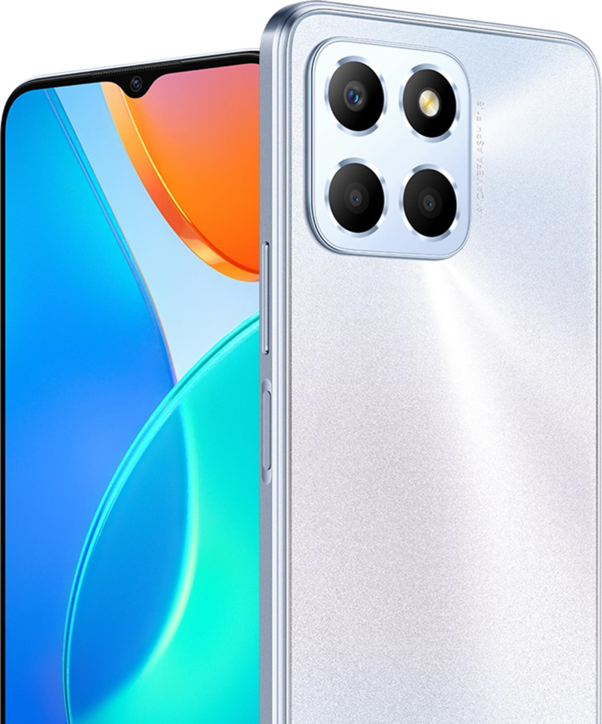
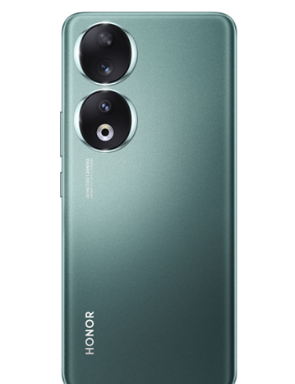
AI assistants on modern smartphones like the HONOR X8d phone handle far more than alarms and simple reminders. You can ask them to plan a full day, book appointments, and coordinate with calendars across work and personal accounts. They summarise long email threads, highlight key dates, and suggest when to schedule meetings based on everyone’s availability. Voice commands start routines, such as “prepare my workday,” which triggers news briefings, traffic checks, and task lists. Because the assistant understands natural language, you spend less time tapping and more time acting on clear plans.
Predictive Features That Learn Habits and Automate Actions
AI smartphones watch patterns in how, when, and where you use apps, then act before you ask. They surface the right app on the lock screen, pre-load your favourite playlists before workouts, and suggest messages you often send at specific times. Location and time cues help the phone predict needs, like opening navigation when you enter the car each morning. Over weeks, the device learns when to silence notifications, reduce brightness, or switch modes automatically. This quiet automation trims micro-decisions that often drain attention and mental energy.
Practical Ways to Use AI Smartphones for Productivity and Convenience
Real-Time Translation, Notes, and Communication Tools
AI translation on smartphones now works in real time for calls, chats, and face-to-face talk. You can point the camera at signs or menus and see instant translations overlaid on-screen. Note-taking apps transcribe voice memos, meetings, and lectures with speaker labels and timestamps, then generate quick summaries. Draft replies in email and messaging apps appear as suggestions based on context, tone, and past responses. These tools remove barriers between languages and formats, letting you focus on meaning instead of typing, rewriting, or searching for the right words.
Smart Notifications, Reminders, and Context-Aware Suggestions
Notification systems now rely on AI to filter noise and surface what matters. Your phone can rank messages by importance, pause social alerts during focus time, and highlight only urgent calls. Context-aware reminders trigger based on location, like prompting a shopping list when you reach the store. The system may suggest replying to a missed message, following up on a document, or leaving early due to traffic. Instead of a constant stream of pings, you see timely prompts that support your goals, not distract you from them.
Smart Living Beyond the Phone: AI and Connected Ecosystems
Using Smartphones to Control Smart Home Devices
AI smartphones now act as universal remotes for connected homes. From one dashboard, you can adjust lights, thermostats, locks, and cameras, whether you are on the sofa or away. Voice commands trigger routines such as “good night” to lock doors, dim lights, and set the alarm. Geofencing can turn on heating before you arrive home or switch off appliances when you leave. Integration with wearables and home hubs allows the phone to coordinate energy use, comfort settings, and security checks without constant manual control or separate remotes.
AI Integration Across Apps, Devices, and Daily Activities
Smart living in 2026 depends on how well AI links your phone with other devices and services. Calendars, to-do lists, health data, and travel plans sync across laptops, tablets, cars, and smartwatches. An AI layer reads this combined data to make smarter suggestions, like planning workouts around meetings or recommending sleep routines after late nights. Apps share context, so navigation, music, and messages work together during commutes. Rather than isolated tools, you get a connected ecosystem that understands your routines and supports decisions throughout the day.

Conclusion
Using an AI smartphone well means turning everyday actions into smoother, more intentional habits. When you let assistants manage schedules, notifications, and repetitive tasks, you free time and attention for work, relationships, and rest. Predictive features, smart home control, and cross-device integration bring quiet help at the right moment instead of constant noise. As AI tools continue to grow, the most effective users will stay curious, review settings regularly, and choose features that match real needs. Smart living starts with small, focused changes you maintain.
Related Articles

Create Labels Easily Using Excel-No More Mistakes!
8 Tips To Check Phone Features Before Buying
How to Connect a Laptop to a TV Screen: Full Guide
Smartphone Maintenance: Essential Tips To Keep Your Device In Prime Condition