
By cuterose
The Role of AI Smartphones in Work and Study Life
AI now sits in everyone’s pocket, and smartphones lead this shift at work and in study life. Workers rely on AI phones to draft emails, summarize meetings, and track tasks without opening a laptop. Students use them to capture lectures, translate texts, and get instant tutoring support on the go. As models grow smarter, phones anticipate needs, cut digital noise, and guide focus. This guide explains how AI smartphones boost productivity, support learning, and streamline everyday workflows, so professionals and students can get more done with less effort and stress.
How AI Smartphones Improve Productivity at Work
Automating Repetitive Tasks and Saving Time
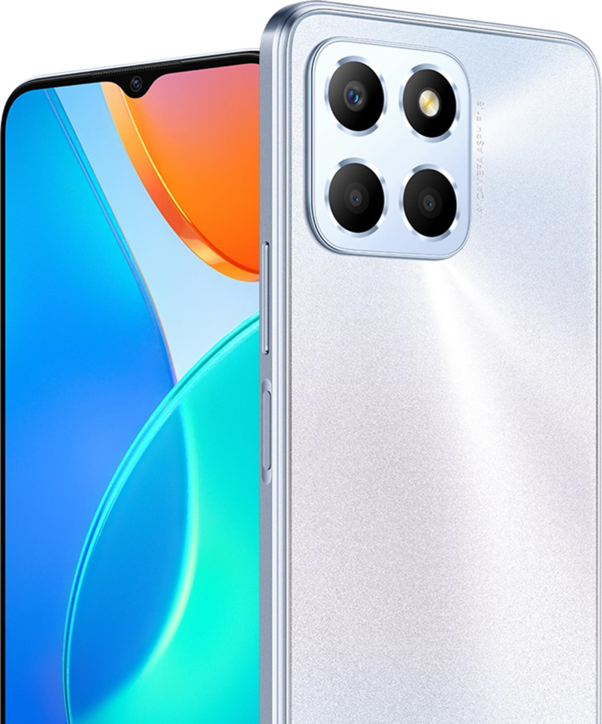
AI smartphones like the HONOR X6d 5G now handle many small but time-consuming tasks that slow workdays. AI can auto-sort emails, flag priorities, and draft quick replies based on context. Voice commands create calendar events, update to-do lists, and set reminders without touching the screen. Call summaries capture key decisions and action items after meetings. Document scanners use AI to clean images, extract text, and file PDFs in the right folder. By letting devices such as the HONOR X6d 5G perform these repetitive jobs, professionals protect their focus for strategic work that actually moves projects forward.
Enhancing Communication, Writing, and Collaboration
Modern AI keyboards and writing assistants on smartphones help users write faster and clearer. They suggest complete sentences, fix tone, and adapt style for reports, chats, or client emails. AI can summarize long message threads and documents, so teams catch up in minutes. Real‑time transcription turns calls and video meetings into searchable notes. Collaboration apps now integrate AI to suggest next steps, assign tasks, and surface related files during discussions. These tools reduce friction in communication, limit misunderstandings, and help remote and hybrid teams stay aligned from any location.
How AI Smartphones Transform Study and Learning
AI Tools for Note-Taking, Summarization, and Research
Students use AI smartphones as portable study hubs. Lecture recording apps now transcribe audio, highlight key points, and organize notes by topic. AI summarizers turn long articles, PDFs, and slides into short, digestible overviews while linking back to original sources. Camera‑based tools extract text from books or handwritten notes for quick search and review. Research assistants suggest related papers, definitions, and examples based on a question or screenshot. These AI features help learners capture information accurately, study more efficiently, and spend more time understanding concepts instead of just typing notes.
Personalized Learning and Real-Time Assistance
AI on smartphones personalizes learning in ways static textbooks cannot match. Students can ask questions in natural language and get step‑by‑step explanations tailored to their level. Adaptive quiz apps track performance and adjust difficulty on the spot, reinforcing weak areas. When a learner gets stuck on a math problem or a coding bug, AI provides hints rather than full answers, building problem‑solving skills. Study plans adapt around exam dates, goals, and daily progress. This real‑time support helps students stay motivated, close knowledge gaps faster, and build confidence.
How AI Smartphones Boost Efficiency in Daily Workflows
Smart Scheduling, Reminders, and Task Management
AI smartphones analyze calendars, habits, and travel time to suggest realistic schedules. When new meetings appear, the phone recommends optimal slots and warns about conflicts or overload. Smart reminders trigger by time, location, or context, such as arriving at the office or finishing a call. Task apps use AI to prioritize to‑dos and group related work into focused blocks. Over time, the phone learns preferred working hours and energy levels, nudging users to tackle deep work when they perform best and keeping daily routines more balanced and manageable.

Multitasking Across Apps with AI Integration
Juggling many apps can waste time, so AI now connects them behind the scenes. On smartphones, AI can pull data from email, documents, chat, and cloud storage into a single view based on a project or topic. Users can ask a question, and the assistant searches across apps at once. When drafting a message, AI suggests relevant files or past conversations. Smart widgets display live updates without opening each app. This integrated experience reduces context switching, shortens search time, and keeps both work and study tasks flowing smoothly.
Conclusion
AI smartphones have become essential partners for professionals and students who want to work and learn smarter. They automate routine tasks, enhance communication, and offer personalized learning support anytime, anywhere. Translation, accessibility features, and integrated workflows help more people participate and stay on top of complex schedules. As AI models improve, phones will predict needs with greater accuracy and support deeper focus, not just speed. Those who learn to use these tools thoughtfully will gain a lasting advantage in productivity, understanding, and everyday efficiency.
Related Articles

Create Labels Easily Using Excel-No More Mistakes!
8 Tips To Check Phone Features Before Buying
How to Connect a Laptop to a TV Screen: Full Guide
Smartphone Maintenance: Essential Tips To Keep Your Device In Prime Condition